
12
December
Using Booking Notes for Better Service
December 12, 2025
Learn how to effectively use booking notes to track customer preferences, session details, and provide personalized service.
Why Booking Notes Matter
Booking notes help you remember important details about customers and sessions, enabling you to provide personalized, professional service.
What to Include in Notes
| Before the Session | During the Session | After the Session |
|---|---|---|
| Customer Preferences: Specific requests or needs | Key Discussion Points: Main topics covered | Summary: Brief recap of what was accomplished |
| Context: What they want to discuss or accomplish | Questions Asked: Customer inquiries and your answers | Follow-Up Needed: What to send or do next |
| Background: Relevant history from previous sessions | Action Items: Tasks or follow-ups agreed upon | Next Steps: Plans for future sessions |
| Preparation: Resources or materials to prepare | Impressions: Customer reactions or feedback | Personal Details: Things to remember for next time |
| Special Accommodations: Accessibility needs, language preferences | Technical Issues: Any problems encountered | Billing Notes: Any special pricing or arrangements |
Accessing & Adding Notes
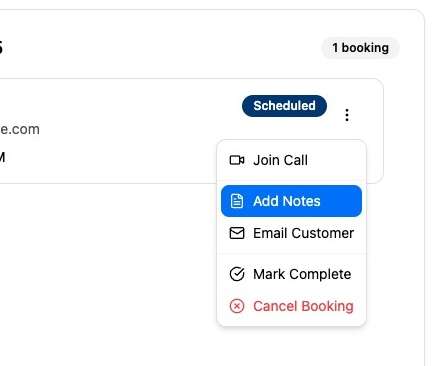
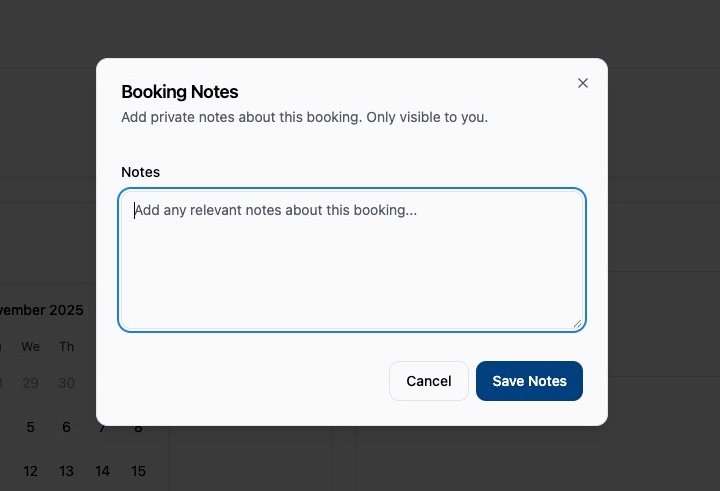
Screenshot
- Navigate to Dashboard → Bookings
- Click on any booking card
- Click “Add Notes” or “View Notes”
- Type your notes in the text area
- Notes save automatically
- View notes anytime by opening the booking
Note-Taking Best Practices
Be Specific & Actionable
❌ Bad: “Good session”
✅ Good: “Discussed marketing strategy for Q2. Customer wants help with Instagram ads next time. Action: Send case study examples by Friday.”
Use Consistent Format
Develop a template for your notes:
Date: [Session Date]
Topic: [Main Discussion Topic]
Key Points:
- Point 1
- Point 2
- Point 3
Action Items:
- [ ] Task 1
- [ ] Task 2
Next Session: [Planned Topics]
Protect Privacy
- Don’t include sensitive personal information
- Use professional language
- Remember notes might be subject to legal discovery
- Follow HIPAA if applicable to your industry
- Don’t include opinions—stick to facts
Use Searchable Keywords
- Tag notes with relevant keywords
- Use consistent terminology
- Makes finding specific notes easier later
- Example: #follow-up, #urgent, #technical-issue
Using Notes for Continuity
Before each repeat customer session:
- Review notes from previous sessions
- Check on action items you committed to
- Prepare materials based on previous discussions
- Personalize your greeting with specifics
Example: “Hi Sarah! Great to see you again. I remember you were working on that Instagram campaign—how did it go?”
Notes for Team Collaboration
If multiple team members serve customers:
- Use standardized note format
- Include handoff instructions
- Tag which team member served them
- Note customer preferences (communication style, etc.)
- Flag any issues or concerns
Analytics & Insights
Use your booking notes to:
- Identify common customer questions (create FAQ)
- Discover which services are most requested
- Track customer progress over time
- Identify areas where you need more training
- Generate testimonial opportunities
Note Organization Tips
- Date Everything: Always include timestamps
- Use Headers: Organize long notes with sections
- Highlight Action Items: Use checkboxes or bold text
- Link Related Sessions: Reference previous booking IDs
- Export Regularly: Keep backups of important notes