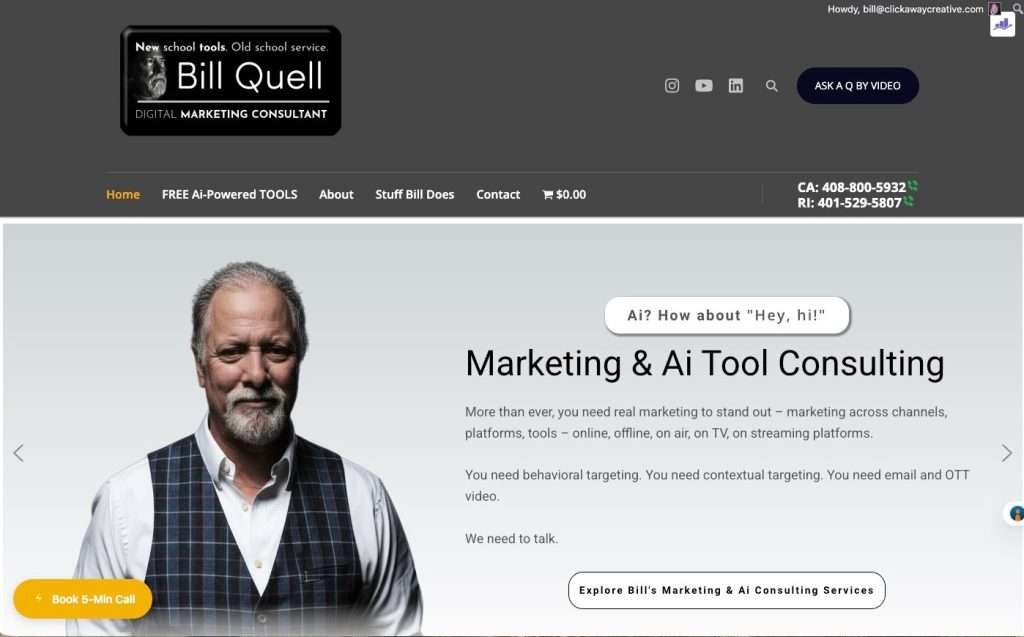
Your Business Experience
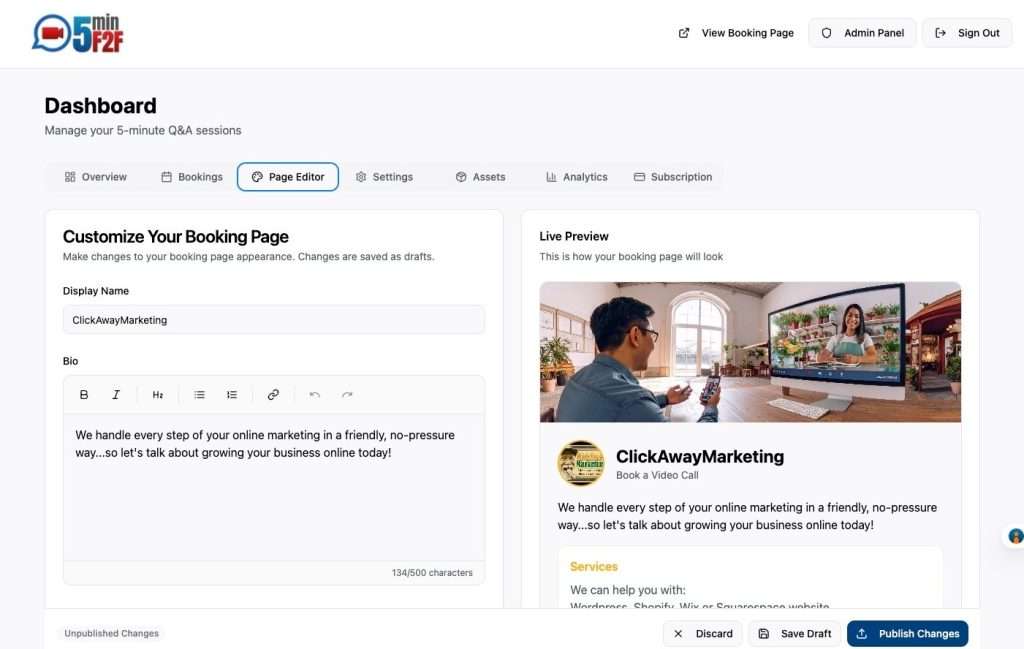
Step 1
Set Up Your Booking Page in 5 Minutes
Simple setup wizard walks you through creating your professional booking page
- Add your bio and business information
- Upload your logo and set brand colors
- Configure your availability preferences
- Go live immediately
“I was up and running in less time than it took to make coffee”
Step 2
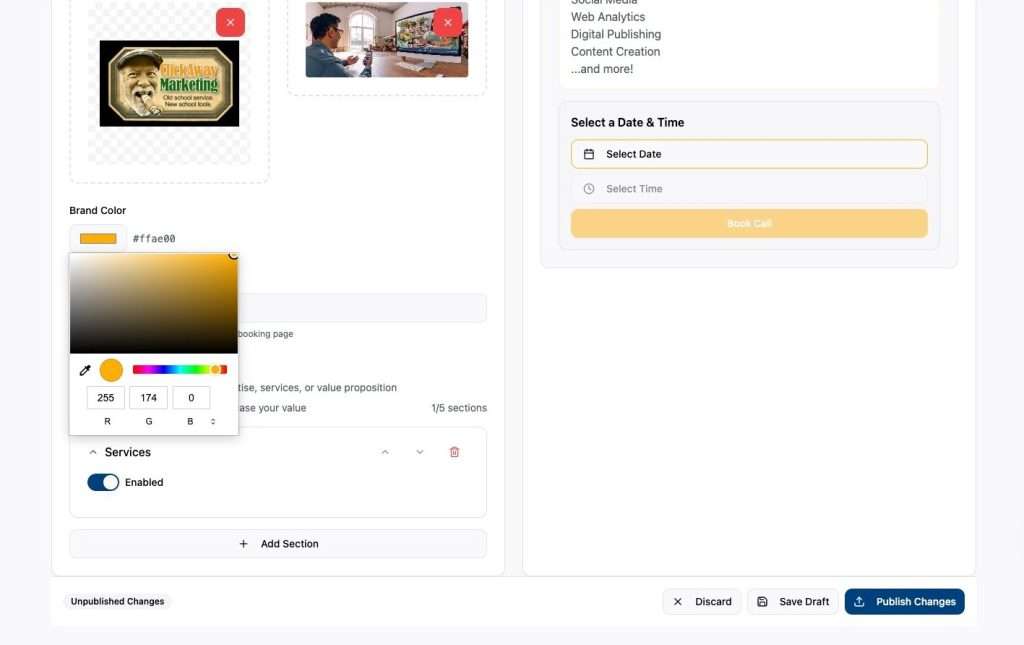
Make It Uniquely Yours
Full control over your page design, content, and branding
- Rich text editor for your bio
- Upload promotional images and content
- Match your existing brand perfectly
- Add up to 5 custom sections as needed
“I love it that I can rotate special offers in as well as highlight links to important pages on my website”
Step 3
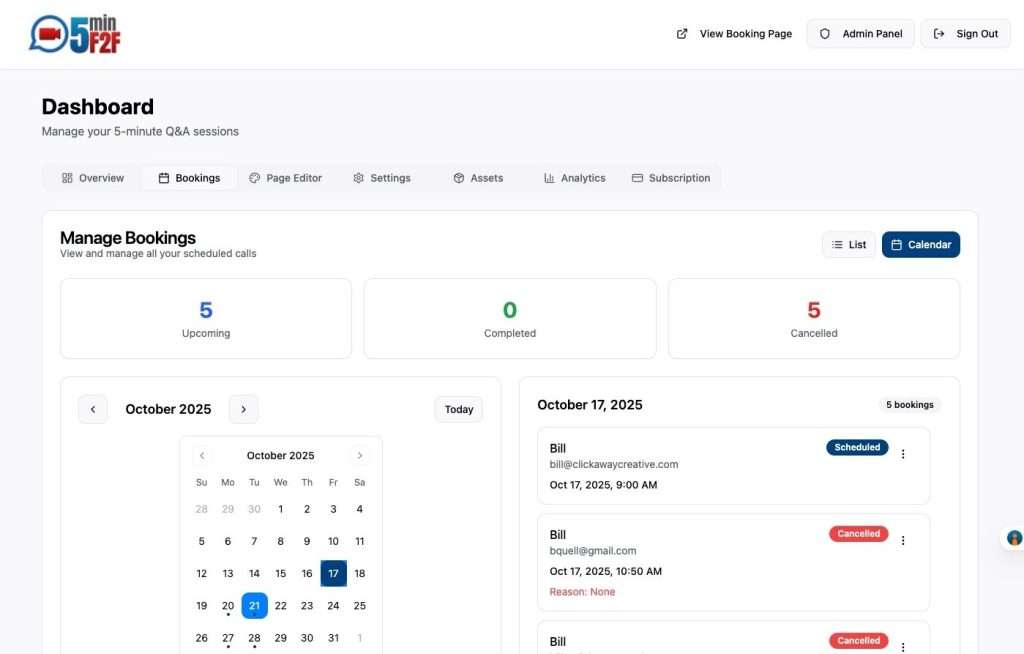
Effortless Booking Management
View all your sessions at a glance with calendar and list views, and communicate with people who have booked time to meet F2F with you in one convenient place.
- Calendar view and list view options
- One-click cancel or reschedule
- Add private notes to each booking
- Easily send email notifications to booked customers
“Finally, a booking system that doesn’t feel like work. So fast, so easy.”
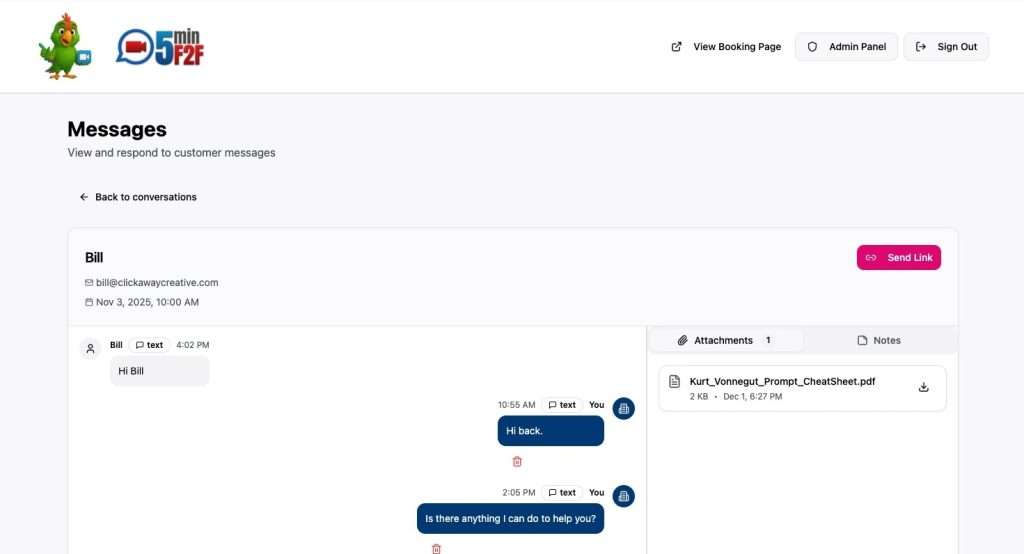
“Chatter Board”: Your Private Conversation Portal
Share videos, audio, notes and attachments
When a customer starts a conversation with you, a “thread” is created with a shared, private URL that alerts you both via email whenever there is activity in the conversation.
This feature is great for more complex exchanges, or for people who might be uncomfortable having real time, face-to-face conversations.
Step 4
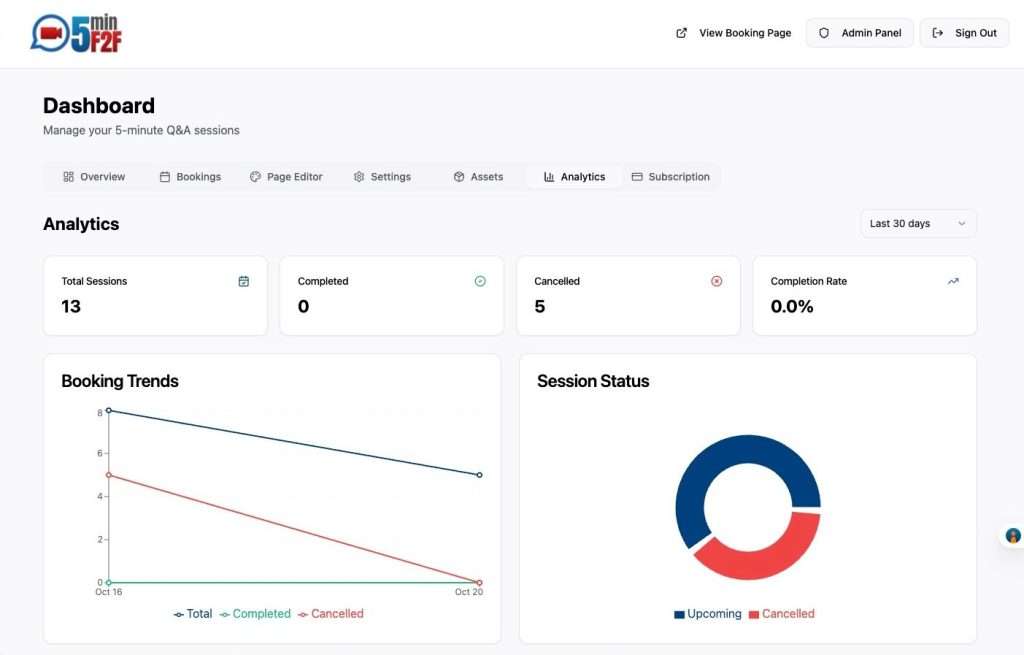
Understand Your Business
Built-in analytics show booking trends, popular times, and customer patterns
- See booking trends over time
- Identify your peak booking hours
- Track completed vs cancelled sessions
- Export data for deeper analysis
Step 5
Add Booking to Your Website & Promote Everywhere
Embed a booking badge on your existing website with copy-paste code
- Multiple badge styles to choose from
- Copy-paste embed code
- Works with any website platform
- Share your custom booking link anywhere
“Highlighting my 5minF2F booking system on my website makes it EASY for people to book time and connect with me. I absolutely love it.”